On this page
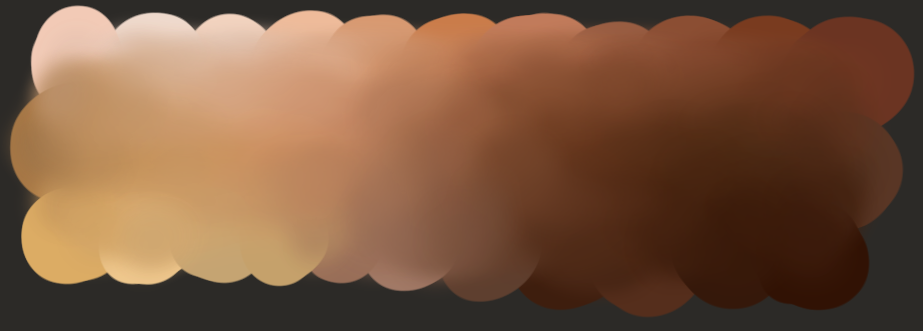
When creating digital characters or illustrations, selecting skin tones that feel authentic yet diverse can be surprisingly tricky. Many tools offer only a handful of preset swatches, leaving large parts of the human spectrum under‑represented. A recent Hacker News showcase introduced a lightweight algorithm and a derived color space that aims to make inclusive color selection straightforward for artists and developers.
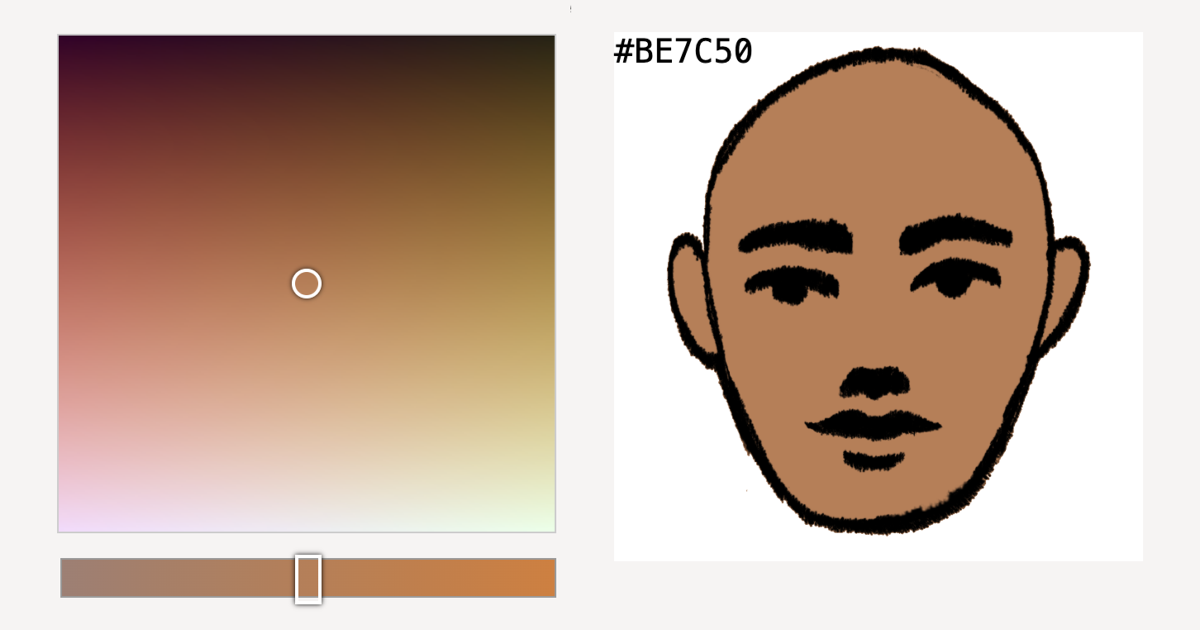
For game developers, digital artists, and anyone building character creators, the new skin‑tone color space offers a practical way to generate a wide, plausible range of human complexions without hand‑picking limited swatches. By turning the problem into a simple mathematical sphere, the algorithm lets tools produce inclusive palettes on the fly, reducing the risk of unintentionally excluding players or users. Adopting this approach means more realistic avatars, broader representation in apps, and a faster workflow for creators who need diversity built‑in.
Why This Matters
Representation in digital media shapes how people see themselves and others. When games or avatars offer only a narrow range of skin tones, entire groups can feel invisible or mis‑represented. The project highlighted in the Show HN post tackles this gap by defining a simple, mathematically grounded space that captures a broad, plausible set of human complexions without requiring massive lookup tables.
Accurate skin‑tone options improve player immersion and social inclusion. A compact algorithm avoids the need for large texture atlases or lookup tables. The approach works across game engines, avatar editors, and procedural content pipelines.
Understanding the Color Space
The author began by manually labeling a variety of RGB colors that looked like plausible skin tones. A principal component analysis (PCA) reduced the scattered points to three main axes, which were then treated as a new XYZ space. By fitting a simple spherical surface to the transformed data, the author derived equations that map a point (t, u, v) on a unit sphere to an RGB triple.
The labeling process relied on one individual’s perception, so the resulting space reflects a particular viewpoint and should be treated as a useful baseline rather than an exhaustive catalogue. This baseline still provides a solid starting point for developers who need a quick, reliable way to generate diverse skin tones.
Methodology Overview
The methodology consists of four stages. First, a custom web UI let the author click to label skin‑tone colors in RGB. Second, PCA was applied to the labeled dataset to align the dominant variation with coordinate axes. Third, the author manually fitted an inequality describing a sphere in the PCA space that encloses the labeled points. Finally, two sampling functions—uniform and rejection‑based—pick points on the sphere, and a linear transformation converts them to display‑ready RGB values.
Because the labeling relied on one individual’s perception, the resulting space reflects a particular viewpoint and should be treated as a useful baseline rather than an exhaustive catalogue. The math is deliberately kept simple so that it can be dropped into existing pipelines with minimal overhead.
Limitations and Considerations
The author cautions that the results are a starting point, not a definitive list. Skin tone perception is influenced by melanin, blood flow, scattering, and conditions such as vitiligo or argyria, which lie outside the modeled range. Moreover, RGB values shift across monitors and lighting, so developers should treat the output as a useful baseline and verify it in their target viewing conditions.
Because the work is based on a single observer’s labeling, it may not capture the full variability found across different populations, ages, or body regions. Users are encouraged to treat the generated palette as a foundation and expand it with additional data or artistic tweaks as needed for their specific audience.
Practical Applications
Because the core math is compact, it can be dropped into game engines, avatar editors, or procedural content pipelines. The accompanying JavaScript color picker and Python sampling demo show how to generate varied palettes on the fly, letting designers offer users a broader, more inclusive set of options without storing large texture atlases.
When integrating the algorithm, consider normalizing the sphere radius to match the desired brightness range and test the output under multiple lighting conditions to ensure consistent appearance. This helps maintain visual fidelity across different hardware and environments.
What to Do Next
Developers interested in trying the approach can copy the select_point and to_rgb functions from the source page and integrate them into their own projects. Artists can experiment with the interactive color picker to explore the generated spectrum. For deeper context on why inclusive palettes matter, the author links to videos and essays on colorism in makeup, gaming, and literature, which are referenced in the original post.
Taking a few minutes to run the demo locally will give you a feel for the range of colors produced. Adjusting the sphere radius or the linear transformation coefficients lets you shift the overall brightness or hue bias to match the aesthetic of your project.
Want more practical guides? Explore more Ayxworks insights and save this article for later.
FAQ
What is the main goal of the skin‑tone color space project?
The main goal is to define a simple, mathematically derived space that makes it easy to generate a broad range of plausible skin tones for digital applications.
How does the algorithm produce colors?
It samples points on a sphere in a PCA‑transformed space and applies a linear transformation to convert those points to RGB values.
Is the generated palette meant to be exhaustive?
No; the author describes it as a “good enough” starting point that captures many common skin tones but does not cover every possible variation.
Can the method be used in real‑time applications?
Yes, the calculations are lightweight and suitable for real‑time use in games or interactive tools.
Where can I find the code and demos?
The project page hosts a JavaScript color picker, a Python procedural generation example, and the full source code for reference.