Reviews

Reviews

Useful technology, reviews and guides, written from the perspective of a working robotics and automation engineer.

Featured

Featured

Beyond AYXWORKS

Independent reviews worth exploring

Begin with original creator videos, then explore specialist reporting. Publishers own their testing and opinions; AYXWORKS connects relevant research without borrowing their verdicts.

01 / Watch

Original creator videos

Original previews load from YouTube as you scroll. Open each video for the creator’s full testing context and disclosures.

02 / Read

Specialist research desk

Follow original reporting, then explore related AYXWORKS research where verified.

Research before you buy

Compare what the sources actually report

Two starting points for a better product decision. Specifications link to original publishers, unresolved details stay unknown, and no product receives an automatic verdict.

NAS / home lab

Two different ways to build a fast home NAS

A five-bay storage and local-AI platform versus a six-bay general-purpose NAS. These specifications describe different configurations, not a performance test or a purchasing verdict.

View source-linked comparison
Two different ways to build a fast home NAS
Criterion MINISFORUM N5 MAX · Ryzen AI Max+ 395 · 64 GB configuration UGREEN NASync DXP6800 Pro · factory 8 GB configuration
Processor AMD Ryzen AI Max+ 395 MINISFORUM official specifications — original source Intel Core i5-1235U UGREEN official EU specifications — original source
SATA drive bays 5 × 3.5/2.5-inch MINISFORUM official specifications — original source 6 × SATA UGREEN official EU specifications — original source
M.2 NVMe slots 5; one PCIe 4.0 ×4, four ×1 ServeTheHome hands-on N5 MAX review — original source 2 × M.2 NVMe UGREEN official EU specifications — original source
Memory in compared configuration 64 GB LPDDR5X ServeTheHome hands-on N5 MAX review — original source 8 GB DDR5; vendor lists 64 GB maximum UGREEN official EU specifications — original source
10 Gigabit Ethernet ports 2 × 10GbE (reported for N5 MAX) ServeTheHome hands-on N5 MAX review — original source 2 × 10GbE (vendor specification) UGREEN official EU specifications — original source
Independently measured idle wall draw 30–35 W; STH test, drives spun down ServeTheHome measured power — original source Not verified

Start with the number of drive bays, whether your workload needs local AI compute, the SSD lane limits and the network you actually own. Budget separately for disks, backups and energy.

MINISFORUM publishes a multi-model specification table; verify the N5 MAX column and the exact configuration before purchase. ServeTheHome measurements are theirs, not AYXWORKS measurements. Do not compare electrical usage without equivalent drives and test conditions.

Sources checked: · Not live prices, stock checks or AYXWORKS hands-on tests

Displays / gaming

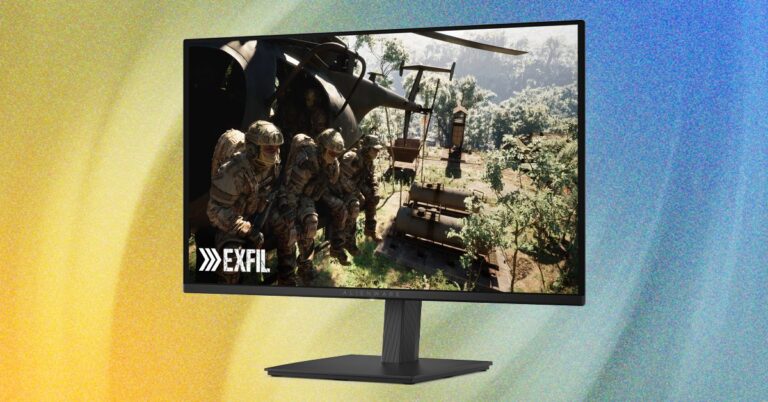
Two OLED monitors, different display priorities

An exact-model comparison of a 32-inch 4K display and a smaller QHD display. Listed values are manufacturer claims, cross-referenced with RTINGS coverage—not AYXWORKS measurements.

View source-linked comparison
Two OLED monitors, different display priorities
Criterion ASUS ROG Swift OLED PG32UCDM Gen3 (PG32UCDM3) Dell Alienware AW2726DM
Visible diagonal 31.5 inches ASUS official model specifications — original source 26.5 inches Dell Spain official specifications — original source
Native resolution 3840 × 2160 (4K) ASUS official model specifications — original source 2560 × 1440 (QHD) Dell Spain official specifications — original source
Refresh rate 240 Hz ASUS official model specifications — original source 240 Hz Dell Spain official specifications — original source
Display technology Tandem QD-OLED ASUS official model specifications — original source QD-OLED Dell Spain official specifications — original source
DisplayPort specification DP 2.1a UHBR20 ASUS official model specifications — original source DP 1.4 Dell Spain official specifications — original source
Independent room-specific fit Not verified Not verified

Screen size, resolution and input bandwidth need to fit your desk, GPU and primary use. A 240 Hz label alone cannot determine motion quality, color accuracy or long-term OLED suitability.

RTINGS discusses image-quality and burn-in tradeoffs of OLED technologies. Manufacturer refresh rates and input specifications do not constitute measured performance. Check supported signal format, warranty conditions, regional variants and current availability in the original sources.

Sources checked: · Not live prices, stock checks or AYXWORKS hands-on tests

Browse by topic

Practical guides

Latest reviews