On this page
Construction schedules must coordinate subcontractors, materials, inspections, equipment, site access and client commitments. A polished Gantt chart is not enough if the team works from outdated files or the plan cannot reflect real dependencies. This guide compares types of construction scheduling workflows and documented product capabilities, not an unverified “best” ranking.
Product features and branding were checked against available vendor information in October 2026. Licensing, regional availability, integrations and prices depend on contract and version. AYXWORKS has not run a controlled hands-on benchmark of these platforms.
Quick answer
For large, dependency-heavy programs, Oracle Primavera P6 is a serious candidate for critical-path scheduling and resource planning. Microsoft Project can be useful for traditional task dependencies and critical-path tracking. Procore Scheduling focuses on connecting schedule work with construction collaboration and project workflows. Autodesk Forma’s construction scheduling tools connect schedules, field work and other project data; some older documentation calls the product Autodesk Construction Cloud (ACC).
The right choice depends on project complexity, schedule ownership, site collaboration, data import/export and the tools the organization already uses.
What must a construction schedule actually contain?
Start with a work breakdown structure, tasks, milestones, durations, links between activities, working calendars, responsible parties and the date from which progress is measured. High-level phases should map to realistic short-term work plans.
Critical path means the dependency path that determines the calculated completion date. Microsoft’s documentation explains why a delay to a critical task can move the end date. The critical path may change when activities finish, durations change or constraints are revised; it is not a once-only color on a bar chart.
A lookahead plan (often covering upcoming weeks) is different from the master schedule. It should show which work is ready to execute, materials and permits needed, handoffs and blockers. A master schedule can be logically consistent on paper and still fail if crews cannot access a site.
Product comparison based on vendor documentation
| Product / approach | Documented emphasis | Validate before adopting |
|---|---|---|
| Oracle Primavera P6 EPPM | Enterprise planning, critical-path scheduling, resource management and multi-project reporting | Licensing model, deployment, scheduler training, data governance and cross-project complexity |
| Microsoft Project desktop | Dependencies, baselines, calendars and critical-path analysis | Exact licensed edition, file exchange and how field updates are captured |
| Procore Scheduling | Construction scheduling and collaboration; create/import schedules, lookaheads, project accountability | Availability under contract, fit with RFIs/submittals and integration permissions |
| Autodesk Forma (formerly ACC-related products) | Connecting construction schedules to field work, issues, drawings and project information | Product names/entitlements, supported import formats and comparison history |
| Lightweight spreadsheet or board | Fast, familiar planning of small, low-dependency work | Version conflicts, manual updates and whether logic survives changes |
This table is a shortlist, not a tested winner or promise that every tier includes all features.
Oracle Primavera P6
Oracle documents Primavera P6 EPPM for planning, scheduling, resource allocation and program/portfolio control. It can suit organizations managing many activities and a formal reporting cadence. The learning curve, configuration and role permissions require resources; more sophisticated software does not automatically improve poor schedule data.
Microsoft Project
Microsoft’s critical-path reference explains activity relationships, float and methods to assess the work that affects completion. Confirm the exact edition and data-sharing workflows: a master plan edited by one scheduler is not automatically a live source of truth for every subcontractor.
Procore Scheduling
Procore’s official Scheduling overview documents creation or import of schedules, real-time collaboration, lookahead plans and role-based project visibility. Procore says the newer Scheduling offering became generally available across regions on 17 February 2026, but customers still need to verify their own entitlements and configuration.
Autodesk Forma construction schedule tools
Autodesk’s schedule-management product information and Schedule/Workplan help describe schedule import, sharing, field access and linked project information. Autodesk notes that Autodesk Construction Cloud naming is transitioning into Autodesk Forma. Confirm which contract and product component your team actually receives rather than assuming every old ACC feature is included.
A useful example: an installation project
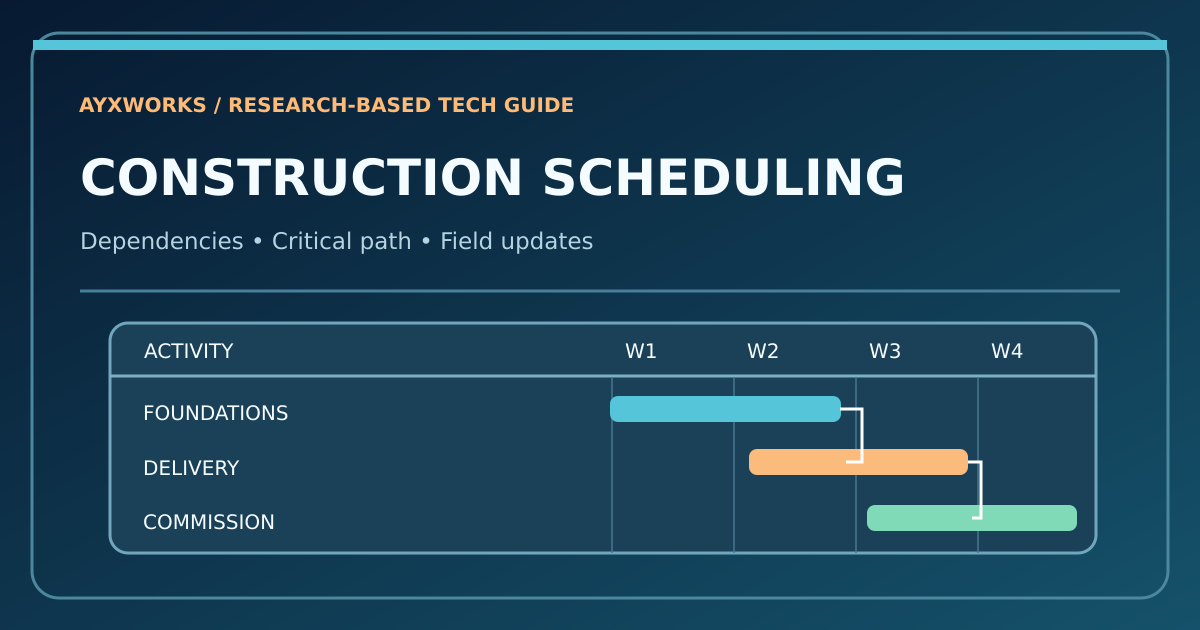
Imagine a six-week refurbishment project that includes civil work, electrical installation, a robot or machine delivery, commissioning and acceptance testing. The main sequence may require concrete curing before anchors can be loaded, electrical power available before commissioning and approved safety validation before production.
If a vendor shifts the equipment delivery date, a schedule should expose every downstream dependency, its owner and any available float. A field worker also needs a clear near-term action list. In a simple project a maintained spreadsheet may suffice; in a multi-contractor rollout, version history and permissions can become more important than chart design.
This is a hypothetical planning example, not measured performance of a particular platform.
How to evaluate the software without an expensive failed rollout
Use one representative project and score each candidate on work your team genuinely performs:
- Import an existing schedule and verify task logic survives—not only the task names.
- Change an upstream task, update progress and examine the impact on critical path and milestones.
- Test working calendars, subcontractor responsibility, approvals and restricted access.
- Review lookahead visibility on mobile in the actual site-connectivity environment.
- Examine version comparison, history, reporting and exporting the data without proprietary lock-in.
- Calculate real cost including implementation, training, administrator time, partner integrations and ongoing support.
- Ask how a dispute, change order or delay analysis would be evidenced six months later.
Beware of feature claims that only work through a paid module, administrative permission or integration not included in the quote. A demo without real project data is insufficient to evaluate those boundaries.
Common mistakes
Treating any late activity as equally critical. Dependencies and available float matter; a cosmetic milestone should not drive the same response as blocked civil works on the critical path.
Ignoring procurement and permits. A crew cannot install equipment that has not arrived or work in a zone that is not released.
Separating field updates from the master plan. When the schedule is updated only in monthly meetings, lookahead tasks can become unreliable.
Buying before defining a scheduling owner. Software cannot decide who is accountable for verifying dates, approving changes and notifying subcontractors.
FAQ
Is Primavera P6 always necessary? No. Use it when formal CPM planning, detailed resource constraints and multi-project control justify the overhead.
Can Procore or Autodesk replace a critical-path planner? It depends on the exact deployed features, import/source-of-truth design and contractor requirements. Test the actual workflow.
Is Microsoft Project enough for a small contractor? Often a candidate, provided someone owns updates and all field personnel can access a useful plan.
What is the most important test? Change a dependency and see whether the team can detect, communicate and resolve its true effects.
Sources
- Oracle — Primavera P6 EPPM official datasheet.
- Microsoft — Manage the project’s critical path.
- Procore — Scheduling documentation.
- Autodesk Forma — Schedule management.
- Autodesk — Schedule and Workplan help.
Takeaway: Choose a construction scheduling system by the complexity of the real dependencies and the field-to-office workflow, not by a universal list of “best” tools.