On this page
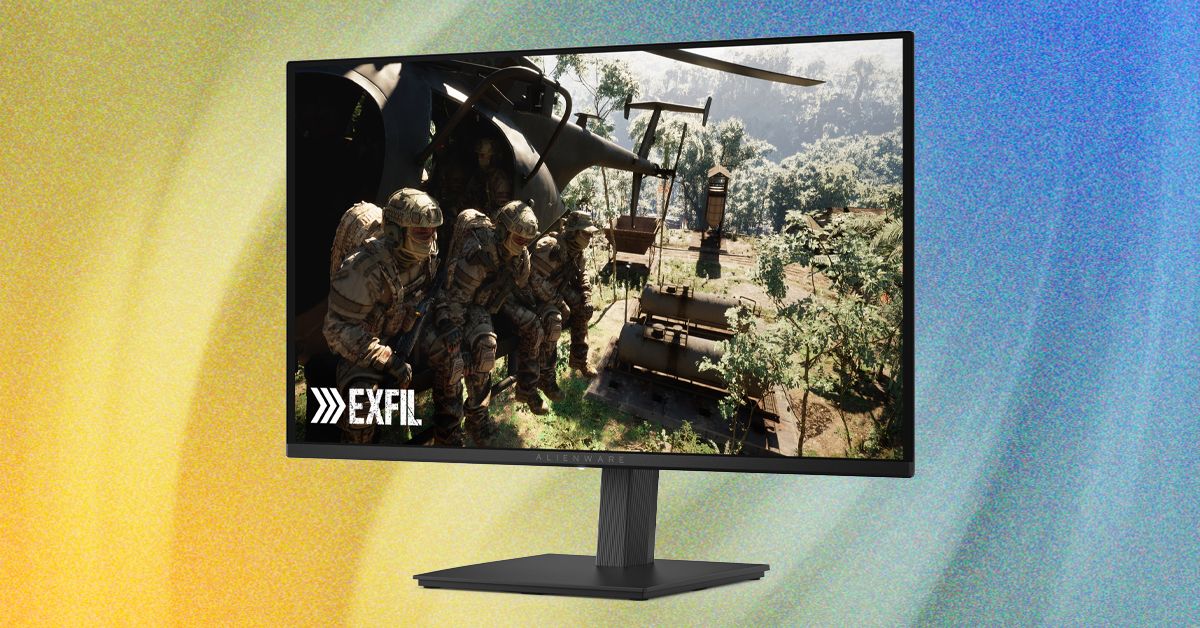
Alienware’s latest 27‑inch QD‑OLED monitor, the AW2726DM, has stirred conversation by hitting a $350 price point that once seemed impossible for OLED gaming displays. While the monitor sacrifices peak brightness and HDMI bandwidth, it retains the core OLED advantages of infinite contrast and vivid color. This review breaks down what the AW2726DM offers, where it cuts corners, and whether it’s a sensible upgrade for PC gamers in 2026.
Key Points
- Still, it’s QD-OLED, and all QD-OLED panels have two things going for them: Incredible contrast and superb color performance.
- Samsung’s QD-OLED also uses quantum dots, a very cool tech that requires its own article to explain .
- Quantum dots generally provide great color, and the AW2726DM is no exception, as it reaches 98 percent of DCI-P3 and 94 percent of AdobeRGB.
Overview
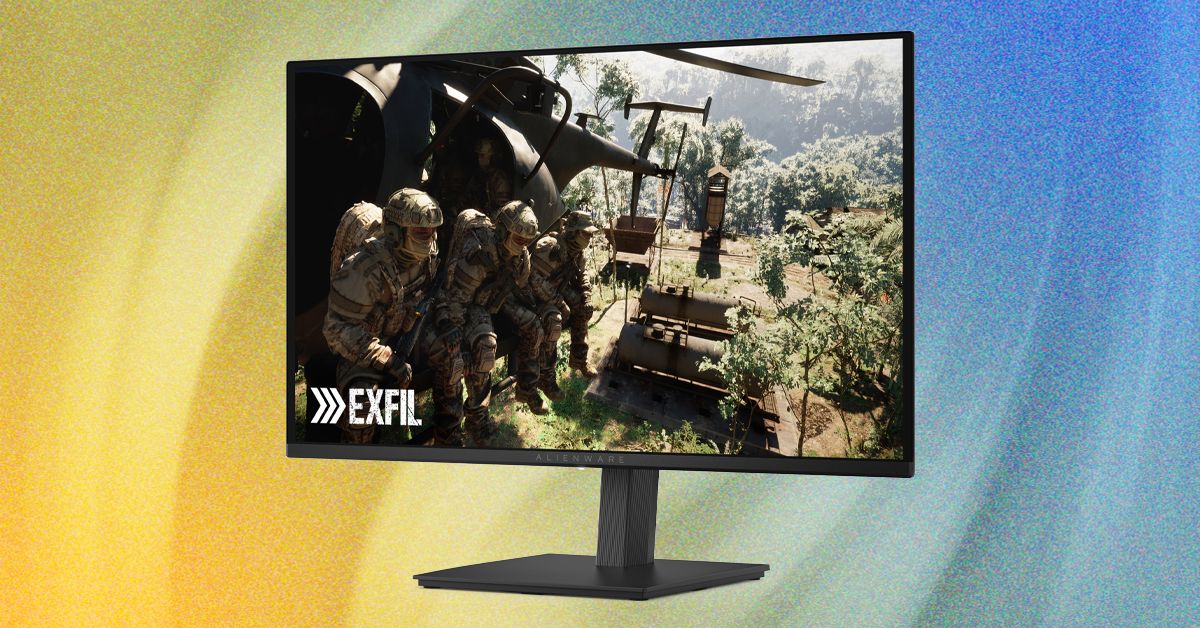
The AW2726DM is a 27‑inch QD‑OLED panel with a native resolution of 2560×1440 and a 240 Hz refresh rate. It uses a triangle sub‑pixel layout that differs from the newer QD‑OLED found in premium monitors, which contributes to its lower cost but can cause slight color fringing on small text. The monitor covers 98 % of DCI‑P3 and 94 % of AdobeRGB, delivering color accuracy that rivals far more expensive panels (Wired).
Design and Build Quality
The monitor’s stand is thinner than on higher‑end Alienware models and lacks a tool‑less design, requiring a screwdriver to attach the VESA mount. It still offers height, pivot, and tilt adjustments, though it does not swivel. The chassis omits the signature dark‑blue “Alienware 30” lighting accents, opting for a more subdued look. Compared with the Samsung Odyssey OLED G5, which only tilts, the AW2726DM provides greater ergonomic flexibility. Internally, the power supply is built‑in, eliminating the external brick found on some competitors.
Why This Matters
OLED technology has traditionally carried a premium price tag, keeping it out of reach for many PC gamers. By breaking the $350 barrier, Alienware demonstrates that the core benefits of OLED—perfect blacks, infinite contrast, and rapid pixel response—can be offered at a budget‑friendly level. This shift could pressure LCD manufacturers to improve value and encourage more gamers to experience true HDR contrast without a massive investment.
Key Features and Specs
- Panel: 27‑inch QD‑OLED, triangle sub‑pixel layout
- Resolution: 2560×1440 (1440p), ~110 ppi
- Refresh rate: 240 Hz via DisplayPort 1.4 (HDMI limited to 120 Hz)
- Color gamut: 98 % DCI‑P3, 94 % AdobeRGB (Wired)
- Contrast: effectively infinite (OLED)
- Response time: 0.03 ms gray‑to‑gray
- Connectivity: 2× HDMI 1.4, 1× DisplayPort 1.4, no USB
- Stand: height, pivot, tilt adjustable; requires screwdriver for VESA mount
Performance Highlights
In testing, the AW2726DM produced deep blacks that made night scenes in games look remarkably lifelike. Color saturation was vibrant, with reds and blues popping without oversaturation. The 0.03 ms response time virtually eliminated motion blur, giving a crisp feel even at 60 Hz. Adaptive Sync (AMD FreeSync Premium and VESA Adaptive Sync) kept tearing at bay during fast‑paced titles. However, brightness peaked at just over 200 nits in SDR and around 400 nits in HDR (Wired), which is modest compared with premium OLEDs that exceed 300 nits full‑screen and 1,000 nits in highlights.
Note: The lack of USB‑C means you’ll need a separate hub for peripherals if you rely on a single cable setup.
Drawbacks and Considerations
The triangle sub‑pixel arrangement can cause noticeable color fringing on fine text, making the monitor less ideal for productivity work that involves lots of small fonts. HDMI 1.4 ports restrict refresh to 120 Hz, so achieving the full 240 Hz requires a DisplayPort connection. The lack of USB‑C or downstream USB‑A limits peripheral chaining. Brightness is low for brightly lit rooms; users may need to raise the backlight to 100 % in direct sunlight, which still falls short of many LCD competitors. HDR performance is hampered by the modest peak brightness, so games that rely on intense highlights may look flat.
What to Do Next
If you value contrast and color over absolute brightness and already have a graphics card that can push 1440p at high frame rates, the AW2726DM is a strong candidate. Pair it with a DisplayPort‑capable GPU to unlock the 240 Hz refresh, and consider using it in a dim‑lit environment to mitigate the brightness limitation. For those who need higher luminance or USB connectivity, saving up for a premium OLED or a high‑end LCD with local dimming may be preferable.
Tip: Use a DisplayPort to HDMI adapter only if you need to connect to an HDMI‑only device, but remember the adapter will still be limited to 120 Hz.
Want more practical guides? Explore more Ayxworks insights and save this article for later.
FAQ
Is the Alienware AW2726DM suitable for competitive gaming?
Yes. The 0.03 ms response time and 240 Hz refresh (via DisplayPort) provide low input lag and minimal motion blur, which are advantageous for fast‑paced competitive titles.
Can I use the monitor with consoles via HDMI?
You can connect consoles to the HDMI 1.4 ports, but they are limited to 120 Hz at 1440p, so you won’t achieve the monitor’s maximum refresh rate on those inputs.
Does the AW2726DM suffer from burn‑in?
Like all OLED panels, static images displayed for extended periods could cause temporary image retention or long‑term burn‑in; using screen savers and varying content helps mitigate the risk.
How does color accuracy compare to more expensive OLED monitors?
The AW2726DM covers 98 % of DCI‑P3 and 94 % of AdobeRGB, placing its color gamut near the top of what is available in 2026, rivaling far pricier OLED displays.
Is the monitor VESA HDR‑certified?
No. Alienware lists the AW2726DM as supporting HDR but without VESA certification, and its peak HDR brightness is rated at about 400 nits.
What alternatives exist if I need higher brightness?
If peak luminance is a priority, consider higher‑priced OLED models that exceed 300 nits full‑screen or LCD monitors with local dimming and higher brightness ratings.