On this page
An autonomous mobile robot (AMR) has to solve three related problems as it moves through a facility: what its surroundings look like, where it is, and how to reach a destination while respecting obstacles and operating rules. LiDAR, SLAM, localization and navigation address different parts of that problem. The terms are often used together, but they do not mean the same thing.
This guide explains the architecture behind modern mobile robot navigation, practical sensor limitations and the distinction between navigation sensing and safety-rated protection. It is research-based technical education, not a claim that AYXWORKS has validated a particular robot in a customer’s factory.
Quick answer
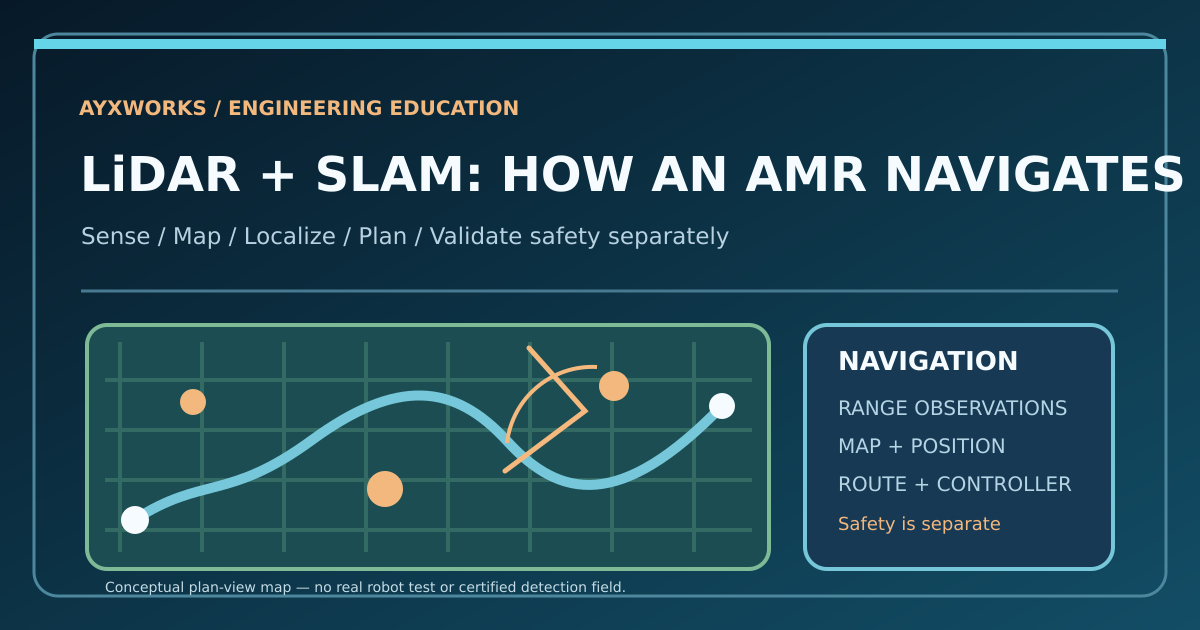
LiDAR measures distances by emitting light and observing reflections. SLAM (simultaneous localization and mapping) estimates a robot’s pose while creating or improving a map. Localization estimates pose against an existing map. Navigation takes the current pose, a goal, maps and observations to plan and follow a route.
A LiDAR-equipped vehicle need not use SLAM, and SLAM can use cameras or other data. None of these capabilities alone proves that a mobile machine is safe to operate around people.
A sensor, an algorithm and a navigation system are different things
| Layer | Main role | Typical information |
|---|---|---|
| LiDAR scanner | Observe nearby geometry | Laser ranges or 3D point clouds |
| Wheel odometry and IMU | Estimate incremental motion | Relative displacement and orientation |
| SLAM | Create/update map while estimating pose | Map and evolving pose estimate |
| Localization | Find pose in an existing map | Pose relative to map |
| Global planning | Choose a route toward the goal | Path through permitted space |
| Local control | Follow a feasible short-term trajectory | Motion requests within system limits |
| Protective safety functions | Assess and enforce the validated safety response | Safety-rated detection, stopping and diagnostics |
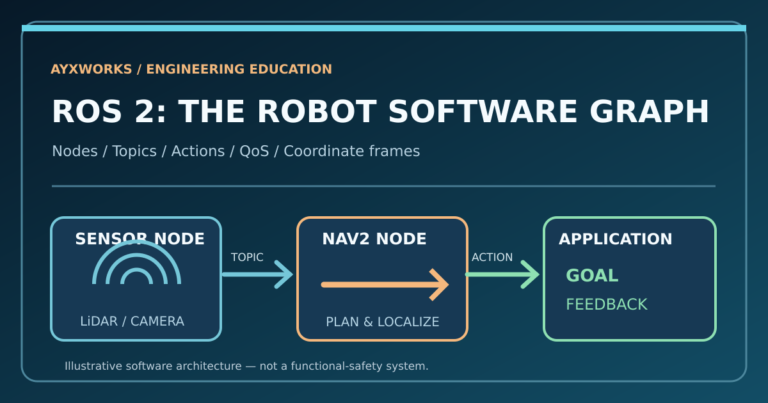
The lower navigation layers may be designed with ROS 2 and Nav2 or vendor-specific software. Safety functions and stopping performance must be separately validated under the requirements applicable to the particular machine and operating environment.
How 2D and 3D LiDAR differ
A common 2D LiDAR measures distances in a horizontal scanning plane. It can be useful for mapping walls, columns and other stable geometric features. However, an object entirely above or below that plane may be missed unless other sensing covers it.
A 3D LiDAR measures over multiple vertical angles and returns richer spatial geometry, often as a point cloud. This can help represent shelf structures, overhangs and uneven features. It also creates additional data processing, mounting, environmental and integration requirements.
No sensor is ideal in every condition. Glass, mirrors, dust, bright outdoor light, reflective surfaces, rain, blind spots and occlusion can affect readings depending on the product. A vendor’s maximum range or 360-degree claim should never substitute for checking the actual mounting height, field of view, resolution and detection limitations.
What SLAM does inside a mobile robot
A robot can estimate that its wheels rolled forward, but incremental motion estimates accumulate error as surfaces slip, wheel diameters vary or sensors drift. SLAM compares new observations with predicted movement and previously mapped features to update the environment model and robot pose.
A simplified cycle looks like this:
- LiDAR, cameras or other sensors capture observations.
- Wheel odometry and/or an inertial measurement unit predict recent motion.
- The SLAM system compares measurements with matching parts of the current map.
- It adjusts its estimate of both the map and robot pose, accounting for uncertainty.
- Revisit observations may enable loop closure, reducing accumulated mapping error.
Different SLAM methods work differently; not all use the same sensor inputs or optimization techniques. A successful map built in an empty laboratory does not prove localization will remain reliable in a warehouse with moving pallets, people, changing racking or repeated similar aisles.
The Nav2 tutorial for navigating while mapping illustrates a ROS 2 system that publishes a map and localization transforms while using SLAM Toolbox.
Mapping is not the same as localization
During initial commissioning, a robot may build a map while moving through the operating zone. Once a usable map is approved, an application may mainly use localization: estimating its current pose against a known map, rather than continuously treating every temporary object as a permanent landmark.
This distinction matters when a factory layout changes. A new safety fence, an altered pedestrian crossing, moved shelving or a revised docking station may require map updates, route review and safety revalidation. Saying that a robot “learns the environment” is not a substitute for an engineering change-control procedure.
Areas with repeating shelves, a lack of distinctive features or frequent temporary obstructions may be especially challenging for localization. Test those conditions deliberately rather than relying on a successful demonstration in the easiest part of the factory.
The coordinate-frame problem
In ROS 2 mobile navigation, a transform tree often connects:
- map: a frame tied to the chosen map.
- odom: a locally continuous incremental motion frame that may drift.
- base_link: a reference fixed to the robot body.
- sensor frames: the known positions and orientations of laser scanners and cameras relative to the body.
Localization relates map to odom, while odometry relates odom to base_link. Sensor measurements need corresponding transforms and timestamps. A scanner moved a few centimeters without updating its extrinsic calibration can undermine both mapping and obstacle perception.
The Nav2 SLAM Toolbox guide discusses its map-to-odom transform and map topic. For production design, timestamps, calibration version and transform completeness should be monitored as seriously as topic connectivity.
Navigation: where the route comes from
After a robot knows its estimated pose and goal, a global planner can find a path through permitted space on the map. A local controller reacts to current geometry and follows feasible motion. A behavior system chooses how to wait, retry or recover when a path is blocked.
Nav2 includes planning, control, map/costmap and behavior components. Its simulated robot quickstart is a useful introduction to map-based navigation before touching real hardware.
A robot may route around a pallet if enough allowed clearance exists. It must not treat every visible gap as a safe path: the load envelope, floor condition, stopping limits and pedestrian rules are engineering constraints that remain in force.
Why a navigation LiDAR is not automatically a safety scanner
A general scanning LiDAR can be excellent at navigation without meeting the performance, diagnostic or certification requirements for a protective safety function.
Industrial driverless truck safety may require appropriately selected protective devices and validated detection fields, braking responses, speed supervision, warnings and operating-zone preparation. The correct integration depends on machine type, speed, environment and applicable legislation and standards. A navigation algorithm or camera detector does not become safety-rated merely because it recognizes a human shape.
For the covered category of driverless industrial trucks and their systems, the current published ISO 3691-4:2023 includes examples commonly called AGVs and AMRs. A newer draft is under development in 2026, but a draft is not automatically the current published edition.
Never validate a protective stop by improvising a live human-obstacle test. Authorized safety testing requires trained personnel, an approved method and a complete system risk assessment.
LiDAR, cameras and sensor fusion
| Technology | Useful contribution | Limit to check |
|---|---|---|
| 2D LiDAR | Range geometry within one scan plane | Vertical blind spots, material response and placement |
| 3D LiDAR | Additional vertical obstacle geometry | Processing, cost, occlusion and environmental conditions |
| Visual SLAM | Landmarks and appearance-based mapping | Low light, motion blur, repeating textures and privacy |
| Wheel odometry / IMU | Smooth short-term motion estimate | Wheel slip and drift |
| Multi-sensor fusion | Potential complementary information | Calibration, timing and difficult failure diagnosis |
Adding sensors can improve capability, but it also increases complexity. A camera and LiDAR that disagree because of timestamp errors can create an apparently confident but incorrect pose estimate. More hardware does not guarantee a better outcome.
Pilot checklist before buying a mobile robot fleet
Choose one realistic transport mission and document the operating conditions.
- Task and load: actual payload, center of gravity, interface height, route and docking tolerance.
- Environment: aisle width, doors, lifts, floor transitions, gradients, pedestrian traffic and cleaning conditions.
- Sensor coverage: scanner height, blind spots, transparent/reflective surfaces and representative obstacles.
- Mapping: map version, stable landmarks, relocalization locations and expected change frequency.
- Navigation: repeatable mission completion, blocked paths, congestion, timeouts and recovery behavior.
- Safety: full risk assessment and validation by qualified personnel, including any required protective equipment.
- Operations: charging, fleet traffic, manual recovery, serviceability, maintenance logs and software support.
Measure interventions and failed missions, not just the fastest successful trip. Testing over representative shifts is more useful than one flawless route during a vendor demonstration.
Readers choosing a transport architecture should also review AYXWORKS articles on AMR versus AGV and fifteen questions before an AMR pilot.
Frequently asked questions
Is SLAM another word for LiDAR?
No. LiDAR is a range sensor. SLAM is a family of mapping and localization algorithms that can use LiDAR, cameras and other sources.
Does every AMR require SLAM?
No. Robots use different localization and navigation architectures. Some localize against an existing map or use different guidance sources.
Is a 3D LiDAR always superior?
Not automatically. It provides different geometry, but requirements, cost, software, mounting and environmental limitations affect suitability.
Can a LiDAR make an industrial robot safe around people?
Sensor choice alone is insufficient. Only a correctly engineered and validated complete protective system can meet applicable safety requirements.
What is the difference between a map and a planned path?
A map represents aspects of the environment. A planned path is one possible route through the permitted space toward a destination.
Verified technical sources
- ISO — ISO 3691-4:2023, Driverless industrial trucks and systems
- Nav2 — Navigation with SLAM Toolbox
- Nav2 — Simulated robot quickstart
- Nav2 — Technical documentation
- OMRON Europe — Autonomous Mobile Robots and AGVs
- Association for Advancing Automation — AMR glossary
Takeaway: LiDAR measures distances; SLAM creates a map and estimates pose; navigation turns a goal into motion. Safe industrial operation remains a separate machine-level requirement that the entire integration must satisfy.